LightBase User Guide
A local-first, multi-protocol API development platform powered by a native C-Core engine.
Getting Started
Prerequisites
- System packages:
cmake build-essential libssl-dev libsqlite3-dev libgit2-dev - Build:
make(installs Python deps and builds C-Core) - Run:
make run(starts the bridge server and opens the UI) - Test:
make test(runs 75 tests across 24 categories)
100% Local-First Storage
All your data is stored as plain JSON files in workspace/:
workspace/
 collections/    # Saved API requests
 environments/   # Variable sets
 history/        # Auto-logged request/response pairs
 monitors/       # Scheduled run configs
 flows/          # Visual workflow definitions
Every file is a plain JSON file you can commit to Git. No cloud sync needed — just git push.
Dashboard
The Dashboard tab shows real-time system telemetry from the native C-Core.
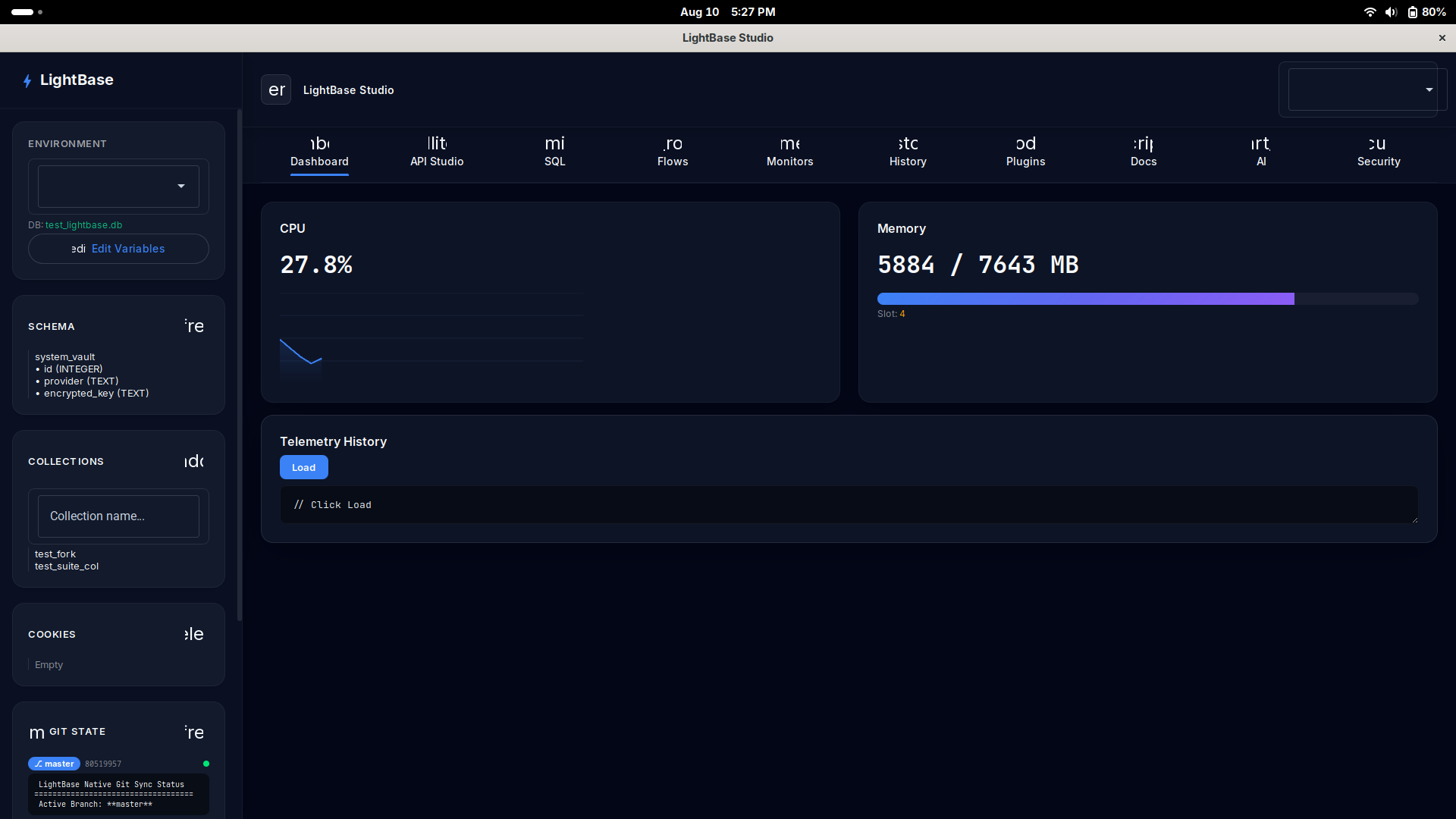
- CPU Utilization: Live percentage with gradient area chart (30-point history)
- Memory Usage: Used/Total with animated progress bar
- Telemetry History: Read stored binary telemetry snapshots from the C mmap'd ring buffer
API Studio
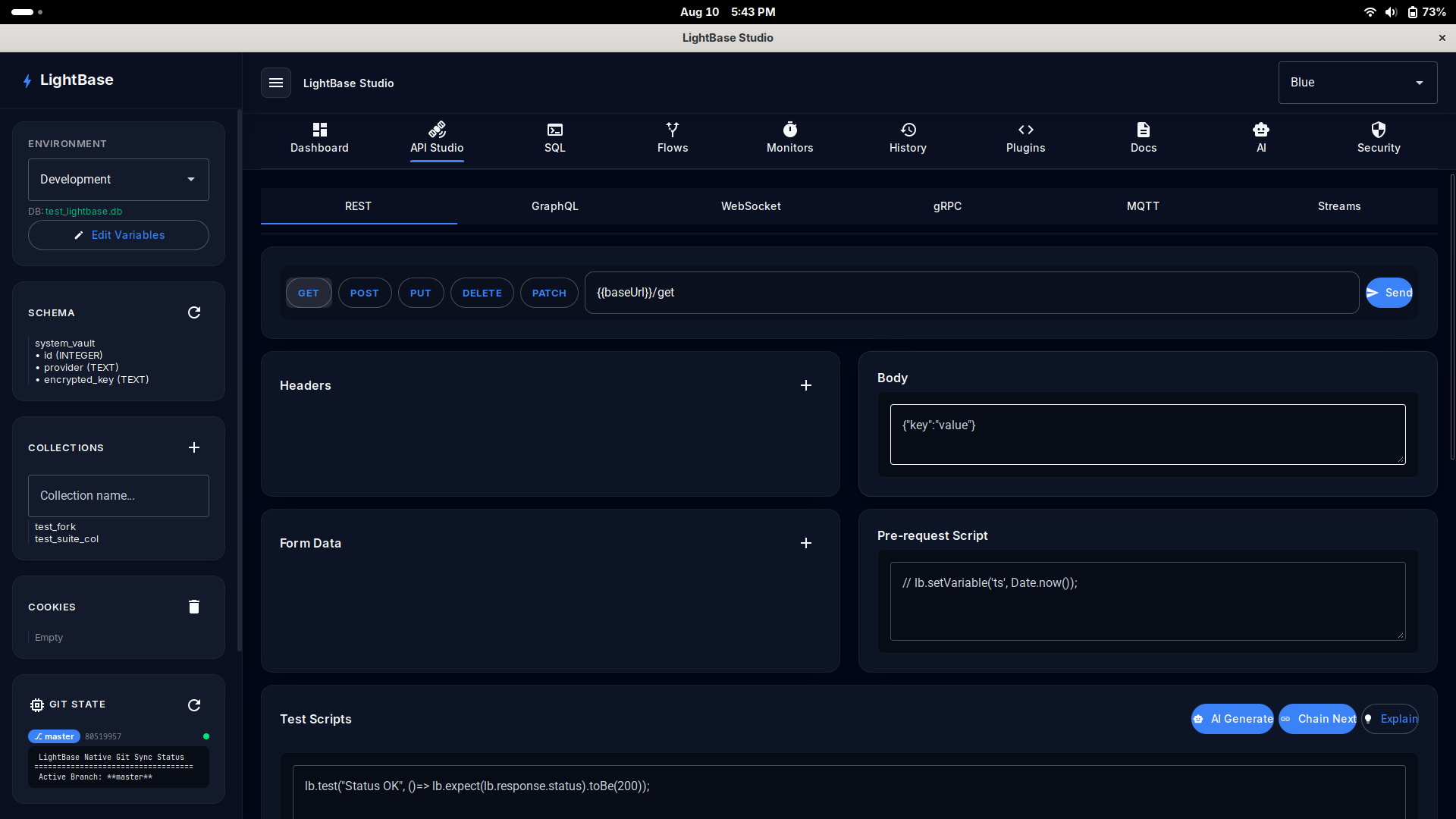
The API Studio supports 5 protocols via the protocol selector bar at the top.
REST Requests
- Select HTTP method: GET, POST, PUT, DELETE, PATCH
- Enter URL — supports
{{variable}}interpolation - Add Headers and Form Data using the buttons
- Enter JSON Body for POST/PUT/PATCH
- Click Send
GraphQL
Enter the GraphQL endpoint hostname and path. Write your query in the Query editor, add variables in the Variables panel (JSON), and click Query.
query GetUser($id: ID!) {
  user(id: $id) {
    name
    email
  }
}
Test Scripts
Write test scripts using the lb.* API that runs after each response:
// Named test blocks
lb.test("Status is 200", () => {
    lb.expect(lb.response.status).toBe(200);
});

lb.test("Response has data", () => {
    const body = lb.response.json();
    lb.expect(body.url).toBeTruthy();
});
SQL Console
Execute SQL queries directly against your active database through the C-Core arena allocator:
CREATE TABLE IF NOT EXISTS users (
    id INTEGER PRIMARY KEY,
    name TEXT NOT NULL,
    email TEXT UNIQUE
);

INSERT INTO users (name, email) VALUES ('Aarav', 'aarav@lightbase.dev');
SELECT * FROM users;
Visual Flows
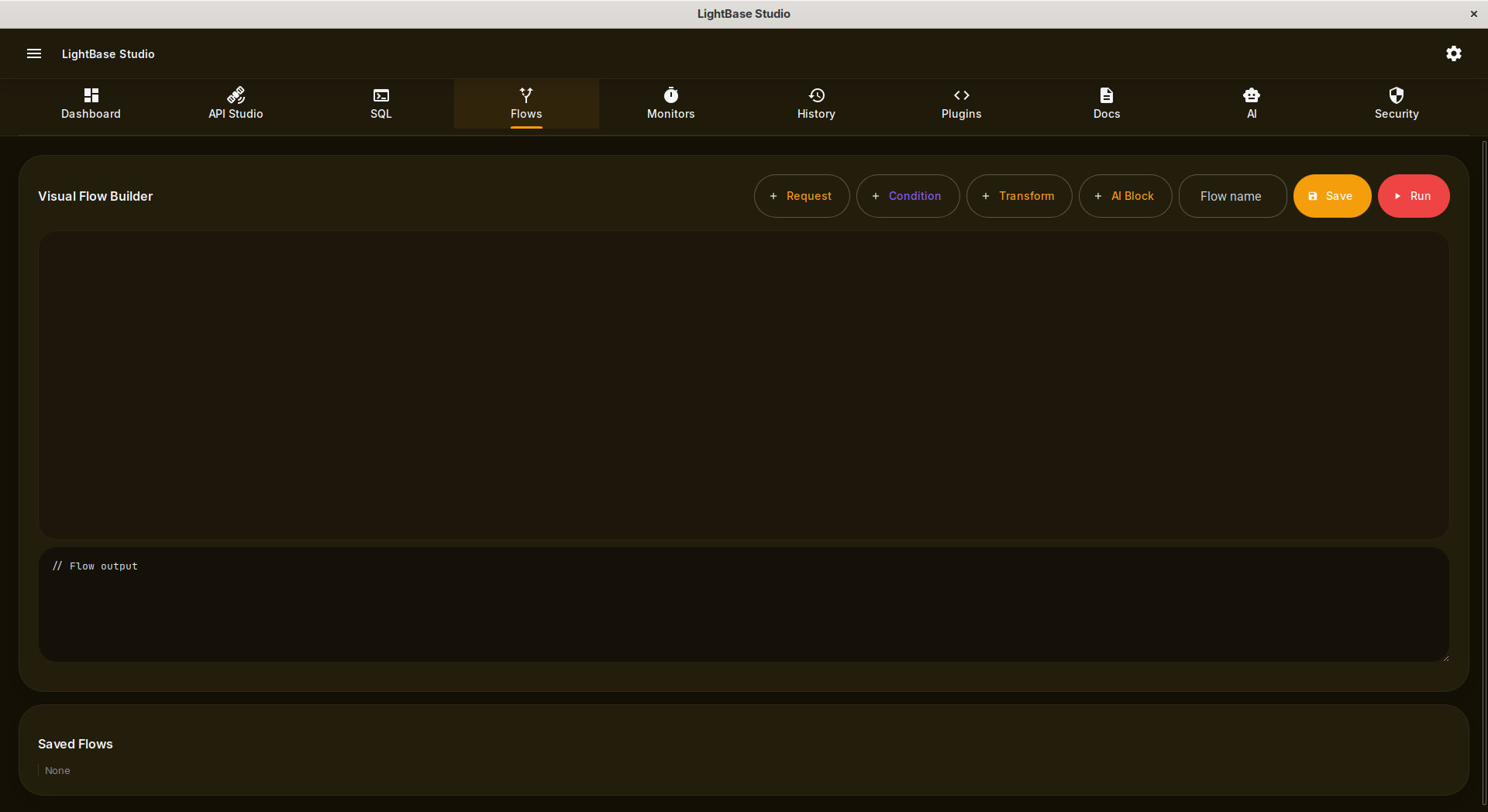
Build complex, multi-step API workflows visually using nodes like Request, Condition, Transform, and AI Block.
Monitors
Schedule automated collection runs to continuously verify API health:
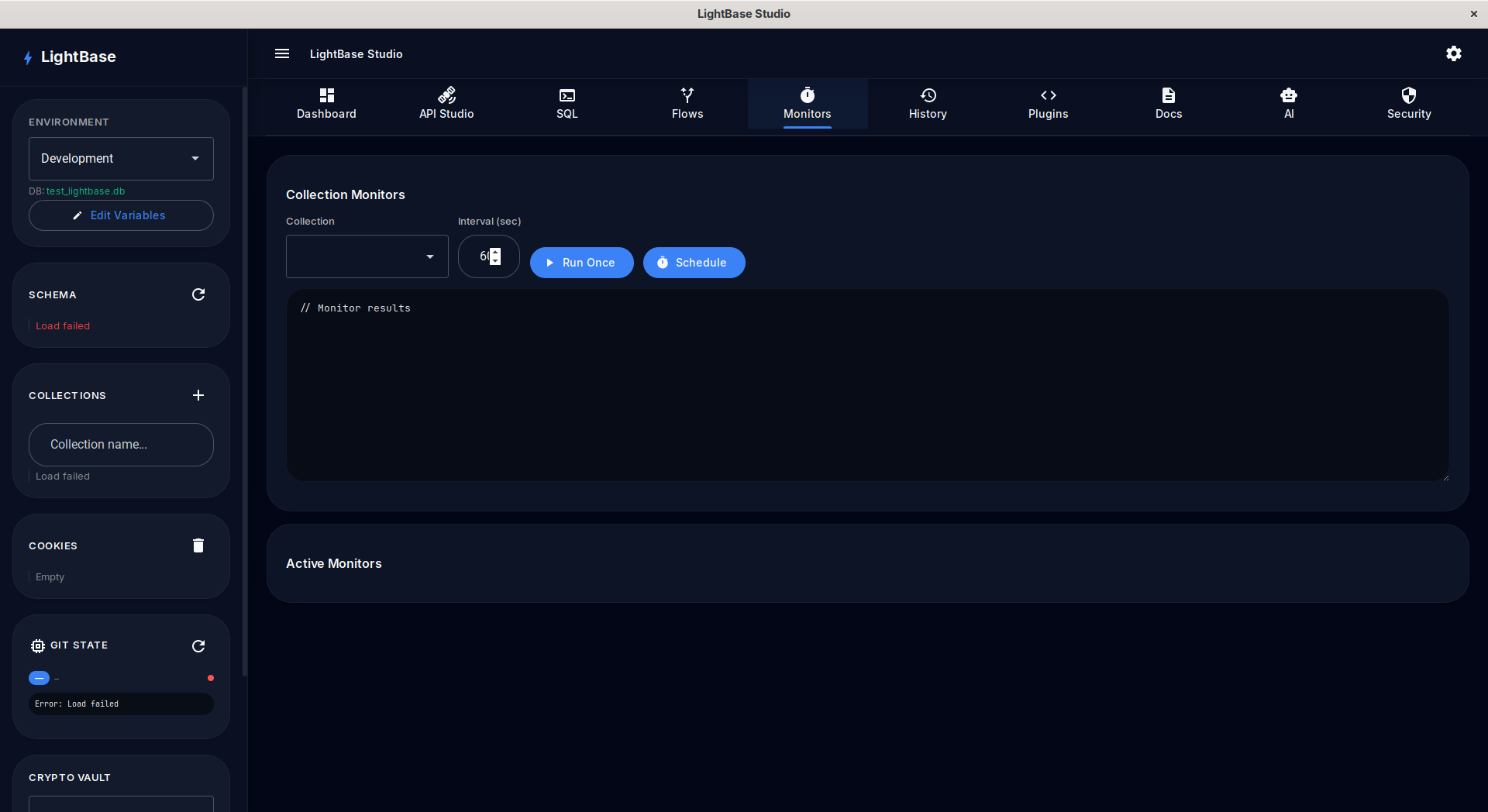
- Switch to the Monitors tab
- Select a collection from the dropdown
- Set the interval (seconds)
- Click Schedule to start a recurring background monitor
AI Companion
The built-in AI Companion uses local offline inference (llama.cpp) via the C-Core. You can write SQL queries from natural language, generate test scripts, optimize database schemas, and understand code patterns without sending your data to the cloud.
Crypto Vault
Store API keys with AES-256-GCM encryption at the C level. The keys are encrypted by the C-Core and never exposed in plain text in your configuration files.
Security Hardening
LightBase includes a comprehensive C-level security module accessible via the Security tab and API endpoints.
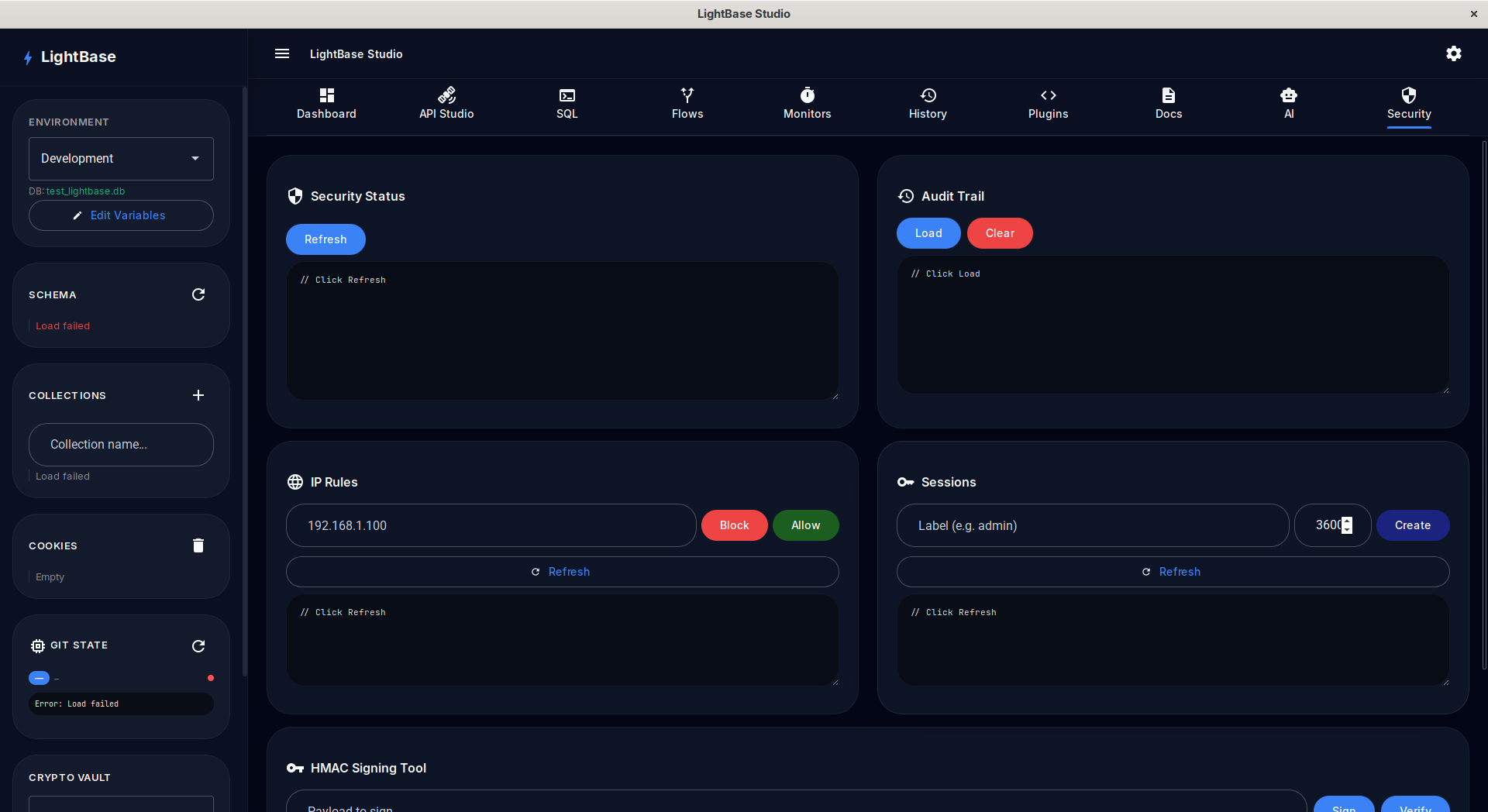
- HMAC-SHA256 Request Signing: Sign and verify API payloads.
- IP Allowlist / Blocklist: Block or allow specific IPs from the Security tab.
- Session Token Manager: Create, validate, and revoke session tokens with TTL.
- Audit Trail Logger: Track all API operations in a circular buffer.
Enterprise Engine
The Enterprise Engine provides production-grade features matching platforms like Postman:
- Collection Runner: Run entire collections with variable chaining and test execution.
- Data-Driven Testing: Upload CSV or JSON iteration data.
- CI/CD Reports: Generate JUnit XML for Jenkins/GitHub Actions.
- Code Snippet Generator: Generate client code in curl, python, javascript, java, go, php.